XIN Mods Package Manager
A Package Manager For Bloomreach XM: Prioritising your content over your application.

Watch the video below to get a quick overview of the Package Manager's functionality.
The package manager is central to the flexibility required to move content between servers. It allows you to package CNDs and parts of the content tree, ZIP them and save them to disk so that you can load them up in a different XIN Mods enabled Bloomreach XM instance at a later time.
There are three main parts to the package manager:
The package manager can be used with the GUI or through a set of API endpoints.
Reasons for creating this package manager:
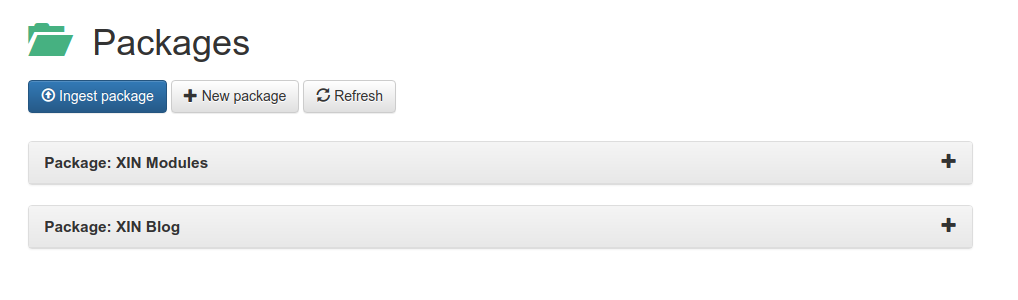
When visiting the Package Manager you are first greeted with a list of packages that have previously been ingested. From here you can create a new package or ingest a package.
If you click on one of the existing packages you'll see the "Filters" that have been setup for it. A filter is a content path in the JCR that is to be zipped into the package when the "Download" button is pressed. This can be any kind of node, a DAM node, a document type, or a template definition node, language nodes -- it doesn't matter.
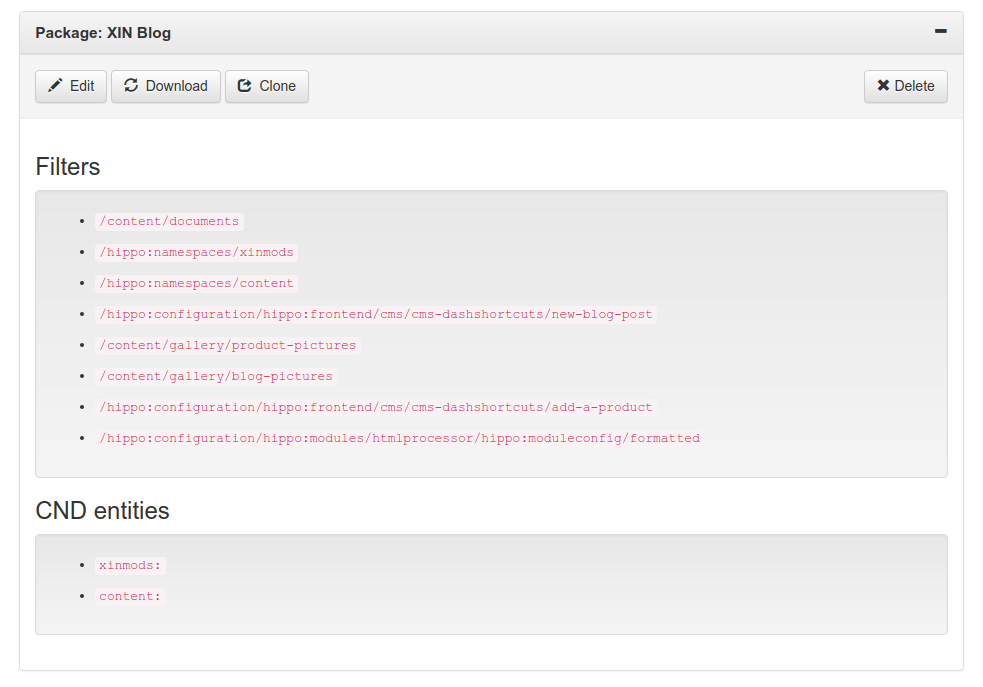
Additionally you can enter the prefixes of the CNDs (Content Node Definitions) that are related to the document types you are packaging so that they are imported alongside your content if required.
If you want to download a new version of the content represented by the filters in the package, simply click the "Download" button.
A dialog that allows you to create a new package:
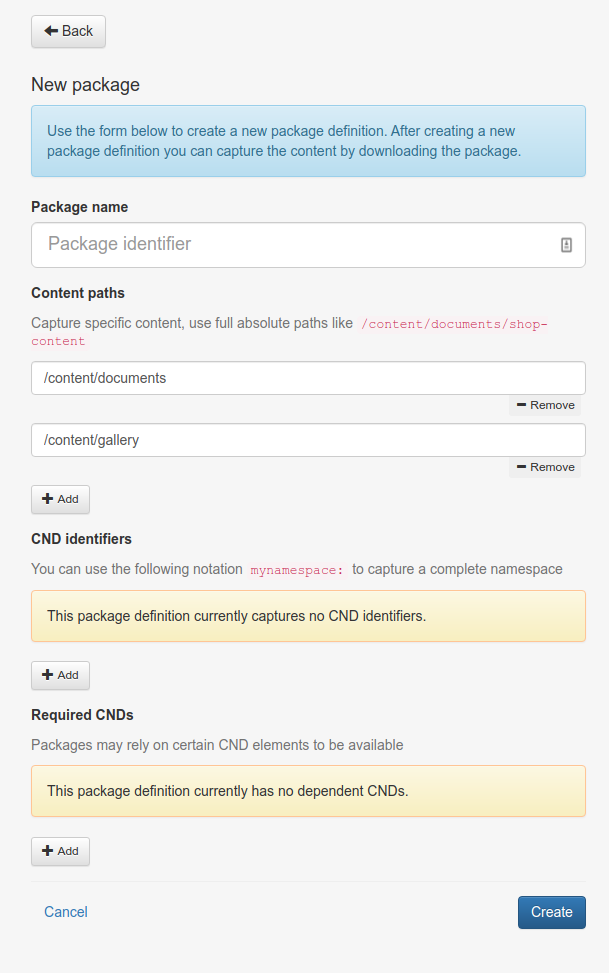
Required fields:
Load an existing ZIP file back into a Bloomreach XM Instance.
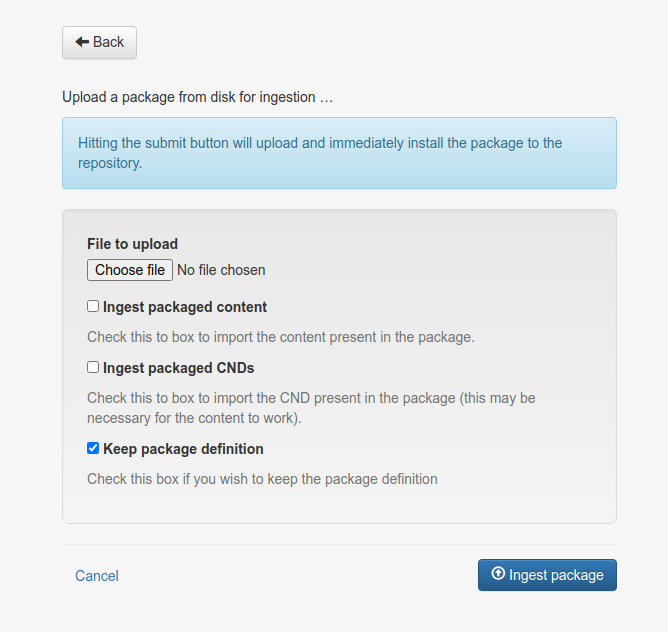
If you've already downloaded a package from the Package Manager, you can reingest them here. Simply choose the file you want to upload and select the options relevant to your scenario: